Understanding Your DNSimple Invoice
Table of Contents
- Explanation of your invoice
- Charge types
- Proration
- Active zones and billing
- Common invoice questions
- Additional resources
- Have more questions?
Account owners receive invoices by email for charges throughout the billing cycle, including DNSimple subscription renewals, domain registrations, certificates, and other purchases.
Teams and Enterprise plans can specify a billing contact. This contact does not need a seat in the account. If they do not have a seat, they are not an authorized user, DNSimple cannot disclose account information to them, and they do not have an account login.
There are three types of invoices from DNSimple:
- Subscription fee
- Solo - No base fee. Your hosted zones and any billable query volume appear here.
- Teams - $29/month base fee
- Enterprise - Custom pricing
- Domain registration, transfer, and renewal purchases
- Certificate purchases
Solo and Teams plan subscribers see itemized billing for zones hosted on DNSimple and for the zone queries that exceed each zone’s monthly allowance. Enterprise and higher plans receive custom billing rates.
If you have multiple high-volume zones or receive a very high number of monthly queries, contact sales for Enterprise pricing, and we will get you set up with what you need.
Explanation of your invoice
Here is a closer look at what your invoice shows:
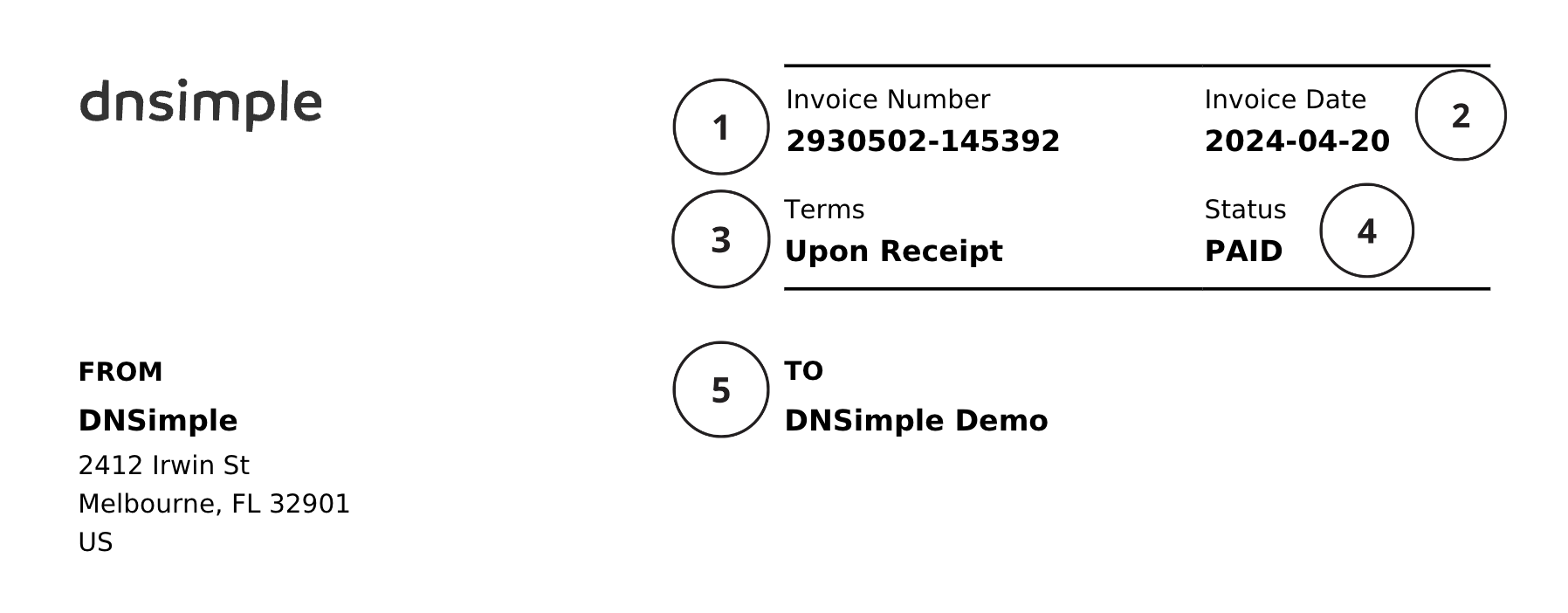
| Name | Description | |
|---|---|---|
| 1 | Invoice Number | The unique number assigned to your invoice. |
| 2 | Invoice Date | The date the invoice was created. The invoice date is the first day of your billing cycle. For example, if your billing cycle is April 20 - May 20, your Invoice Date is April 20. |
| 3 | Terms | Indicates whether your invoice is Due Upon Receipt, Open, or Paid. |
| 4 | Status | Indicates whether your invoice has been paid. |
| 5 | To | Your company name and address. To update this information, see Billing Settings. |
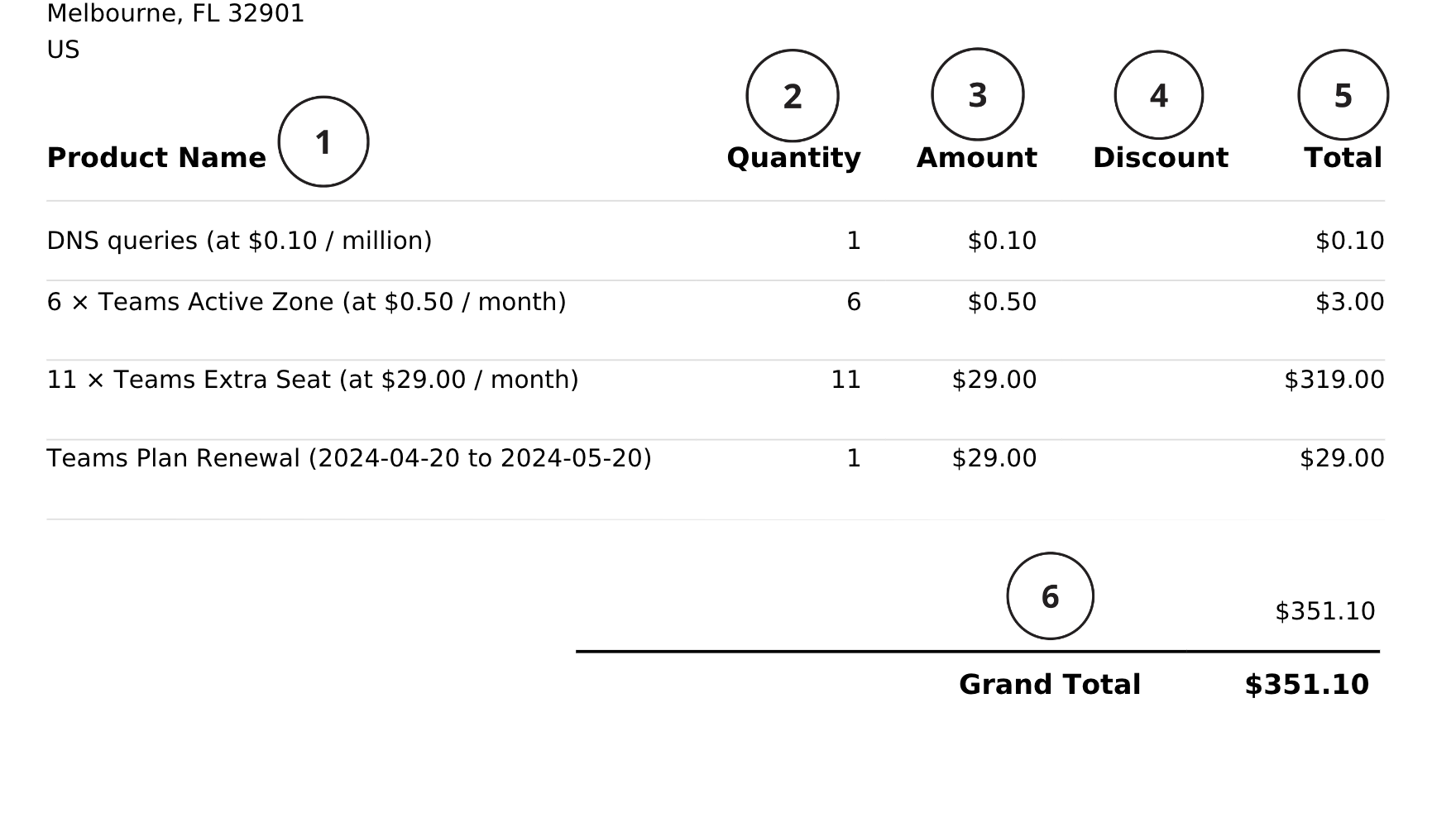
| Name | Description | |
|---|---|---|
| 1. | Product Name | This section gives an itemized listing of your charges for the invoice billing cycle. Invoices for purchases and subscriptions are sent separately. |
| 2. | Quantity | The quantity of each product you are being billed for. |
| 3. | Amount | The cost of a single product. |
| 4. | Discount | Any discounts applied per product on your invoice. |
| 5. | Total | The total amount you will be charged per product. |
| 6. | Grand Total | The total amount owed. |
Charge types
DNSimple has both recurring charges and purchases. Purchases, like fees for registering a domain or buying a Sectigo Single-name or Sectigo Wildcard SSL certificate, appear on a separate invoice from subscription fees. Purchases can also be recurring - for example, if you have enabled auto-renewal for a domain.
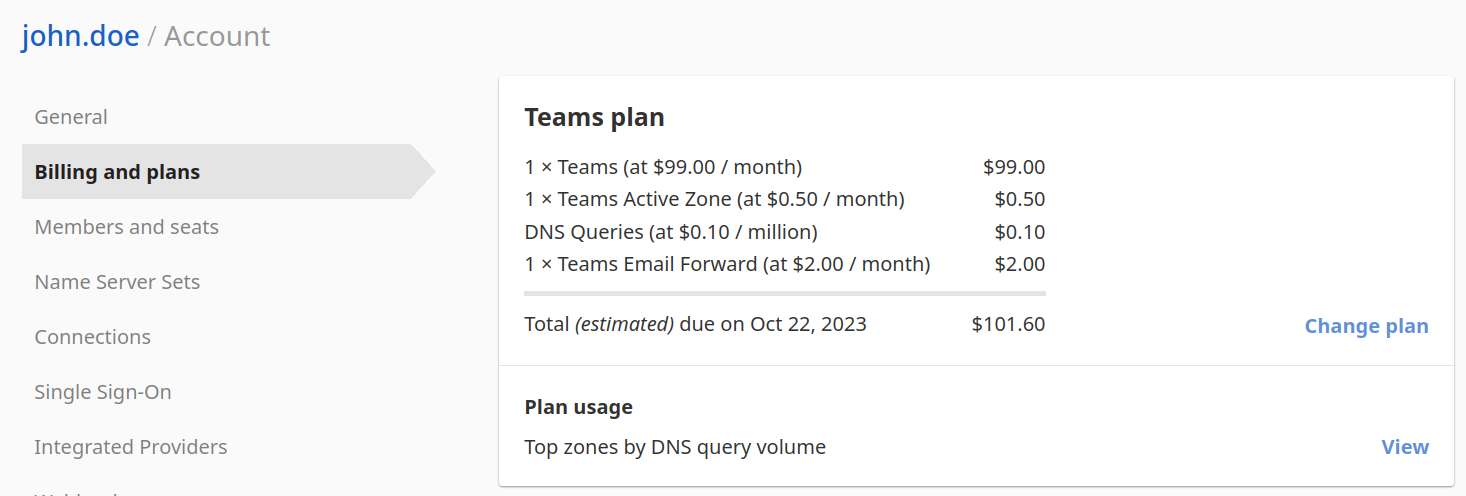
Recurring charges
- DNSimple subscription
- Email forwards
- Active Zones
- Query Volume
Purchases
- Domain registrations
- Domain renewals
- Domain transfers
- Sectigo Single-name or Sectigo Wildcard SSL certificates
Note
Domain registration charges can be recurring if you have enabled auto-renewal.
If a discount code was applied during checkout, the discount appears in the Discount column for the domain registration line item.
Proration
If you upgrade your plan, you will receive a proration discount corresponding to the remaining days in your current subscription plan. DNSimple grants proration credit for anything you have paid for, with the exception of query volume fees, as those are paid per use rather than in advance. This credit is used for subscriptions only.
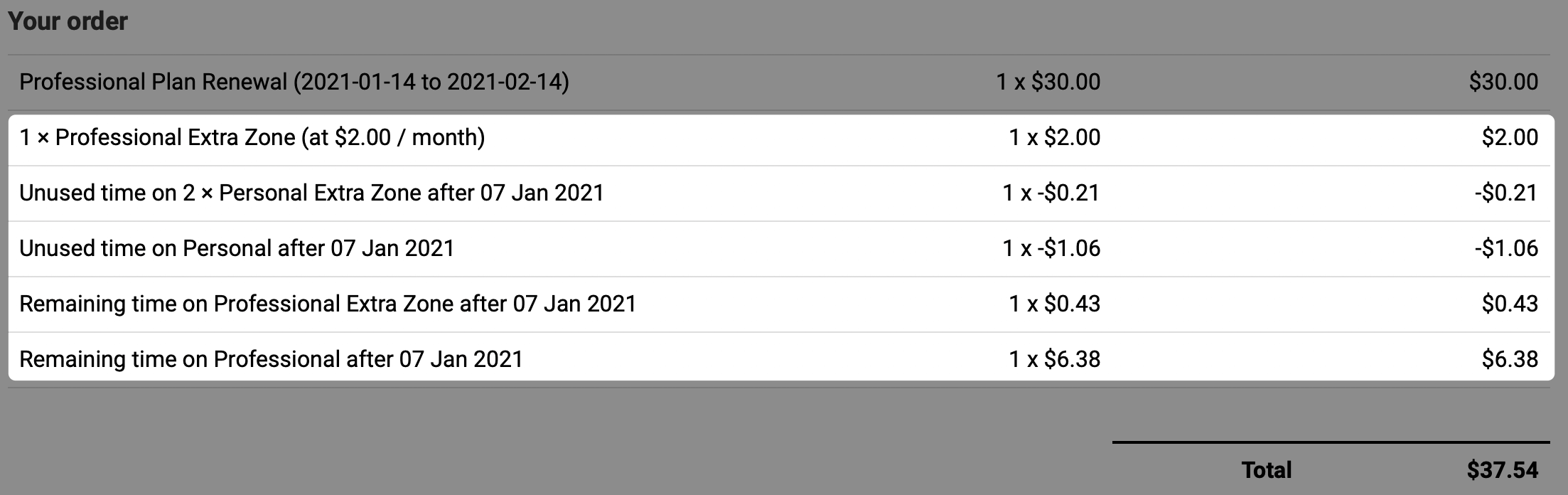
If you downgrade your plan (for example, moving from Teams to Solo), DNSimple does not grant proration credit. DNSimple waits until the end of the billing cycle, then changes your plan.
Active zones and billing
You are billed monthly for each active DNS zone in your account. If you have zones you are not using, deactivating them stops the recurring charge for those zones. See the pricing page for current per-zone rates.
DNS query volume fees are also billed per active zone, on the queries a zone receives above its monthly allowance. Solo includes 50,000 queries per zone per month and Teams includes 500,000, so a zone that stays within its allowance produces no query charge.
Common invoice questions
Why am I being charged for a zone I am not using?
If the zone is still active in your account, it will appear on your invoice. Deactivate the zone to stop the charge.
What does my subscription fee cover?
Your subscription fee covers access to your plan features. Zone hosting and query volume above your plan’s allowance are billed separately as usage-based charges. Domain registrations, renewals, and certificates are purchases billed on separate invoices.
Where can I see current pricing?
Visit the DNSimple pricing page for up-to-date rates on subscriptions, zones, and queries.
Note
If you are on an older plan that predates the current Solo, Teams, and Enterprise plans, your invoice may show different line items or billing cycles than what is described here. Contact support for help understanding charges on a legacy plan.
Additional resources
- Learn how to find and view your invoice history.
- View which payment methods DNSimple accepts.
- See Understanding Your Account Balance and Billing Details for subscription balance, credits, and the Billing and plans area of your account.
Have more questions?
If you have any questions about your invoice or charges, contact us, and we’ll be happy to help.