Getting Started with SSL Certificates
Last updated
Table of Contents
- How SSL certificates work
- DNSimple certificate products
- Choose your certificate
- Before you order
- Order the certificate
- Validate the certificate
- Install the certificate
- Manage your certificates
- Troubleshooting
- FAQ and reference
- Have more questions?
An SSL certificate enables HTTPS on your site, encrypting the connection between a browser and your server to protect sensitive data like passwords and payment details. DNSimple provides domain-validated SSL certificates from two certificate authorities, Sectigo and Let’s Encrypt, that you can order, validate, and install from your DNSimple account. This page covers the full process and links to detailed guides at every step.
How SSL certificates work
When someone visits your site over HTTPS, the browser verifies the SSL certificate, negotiates an encrypted connection, and displays the padlock icon. The protocol used is technically TLS (Transport Layer Security), though the industry still refers to it as SSL. For a closer look at the encryption process, see How HTTPS Works.
Every certificate goes through a lifecycle: you order it, a certificate authority (CA) validates your domain ownership, the CA issues the certificate, you install it on your server, and eventually it expires and needs replacement. The SSL Certificate Lifecycle article explains each stage in detail.
Key concepts you may encounter along the way:
- What is a Certificate Authority? - the trusted organization that issues your certificate
- What is the SSL Certificate Chain? - the chain of trust from your certificate through intermediate certificates to the root certificate
- What is a Certificate Signing Request (CSR)? - the encoded request sent to the CA when you apply for a certificate
- Understanding SSL Private Keys - the secret key that pairs with your certificate to enable encryption
- What is the Subject Alternative Name (SAN)? - the extension that lets one certificate cover multiple hostnames
- What is the SSL Certificate Common Name? - the primary hostname a certificate is issued for
For definitions of other SSL terms, see the SSL Certificate Glossary.
DNSimple certificate products
DNSimple offers four certificate products, all domain-validated. We do not offer organization-validated (OV) or extended-validation (EV) certificates.
| Product | CA | Covers | Cost | Maximum validity |
|---|---|---|---|---|
| Sectigo Single-Name | Sectigo | One hostname (+ root for www) | $20/year | 200 days |
| Sectigo Wildcard | Sectigo | All single-level subdomains + root | $100/year | 200 days |
| Let’s Encrypt SAN | Let’s Encrypt | Multiple specified hostnames | Free | 90 days |
| Let’s Encrypt Wildcard | Let’s Encrypt | All single-level subdomains | Free | 90 days |
For a detailed feature comparison including validation methods, CSR support, and plan requirements, see Sectigo vs Let’s Encrypt SSL Certificates. For full technical specifications of each product, see SSL Certificate Product Specifications.
Both CAs are globally recognized. For details on each authority, including root certificates and trust store information, see SSL Certificate Authorities Used by DNSimple.
Note
Maximum validity periods are getting shorter for both CAs. Sectigo certificates issued since March 15, 2026 are valid for up to 200 days, and that limit drops again in March 2027. Let’s Encrypt plans to shorten its 90-day certificates starting in February 2027. See SSL Certificate Validity Changes (2026 - 2029) for the full timeline.
Choose your certificate
Choose the certificate type
Your choice depends on what you need to secure and how you want to manage the certificate:
-
One hostname (for example,
www.example.com): Sectigo Single-Name or Let’s Encrypt SAN -
All subdomains (for example,
*.example.com): Sectigo Wildcard or Let’s Encrypt Wildcard - Multiple specific hostnames on the same domain: Let’s Encrypt SAN (Solo Pro plan and higher)
If your domain is delegated to and resolves exclusively with DNSimple, both Sectigo and Let’s Encrypt certificates are available. If your domain resolves elsewhere, only Sectigo certificates can be ordered. You do not need to transfer or host your domain with DNSimple to purchase a Sectigo certificate.
For help deciding between the two CAs, see Sectigo vs Let’s Encrypt SSL Certificates. For a broader look at certificate categories (single-name, wildcard, multi-domain, and validation levels), see SSL Certificate Types.
Choose the certificate names
The names on your certificate determine which hostnames it secures. Before ordering, decide which hostnames you need covered, including whether you need the root domain, a specific subdomain, or both. Read How to Choose SSL Certificate Names for guidance on how root domains and www subdomains work with different certificate types.
Before you order
Before starting the order process:
- Verify server access. Confirm you have access to your web server configuration or hosting panel to install a custom certificate.
- Check CSR requirements. Most users do not need a custom CSR, because DNSimple generates one automatically. If your web server requires a specific CSR, generate it before starting the order. See What is a Certificate Signing Request (CSR)? for details.
- Understand private key handling. When DNSimple generates the CSR, it also generates and stores the private key. Our private key policy explains how keys are created and stored. If you provide a custom CSR, you are responsible for storing the private key securely.
- Check your CAA records. If your domain has CAA records, they must allow the CA you are ordering from, or the certificate cannot be issued.
Warning
If you provide a custom CSR, store the private key safely. Without it, the certificate cannot be used. Custom CSRs are not supported for Let’s Encrypt certificates.
Order the certificate
The ordering process varies by certificate type:
- How to Buy a Sectigo SSL Certificate - order a single-name certificate
- How to Buy a Wildcard SSL Certificate - order a Sectigo wildcard SSL certificate
- How to Get a Free Let’s Encrypt SSL Certificate - order a Let’s Encrypt certificate
If you have an expiring certificate that was purchased through DNSimple, you can renew it instead of placing a new order. The renewal keeps the certificate’s names.
Validate the certificate
After placing an order, the certificate authority must verify you control the domain before issuing the certificate. For how the methods differ, see Domain Validation Methods for SSL Certificates, and for the steps in DNSimple, see How to Validate Your Domain for an SSL Certificate.
Let’s Encrypt validation
Let’s Encrypt validates automatically using DNS-based challenges, which DNSimple completes for you when your domain is delegated to and resolves exclusively with DNSimple. No manual action is required. If the certificate is not issued, see Troubleshooting Let’s Encrypt Certificate Failures for the common causes.
Sectigo validation
Sectigo uses email-based domain validation. After you pay for the certificate, you choose a verification email address. Sectigo sends a validation email to that address, and you follow the link in it to approve the certificate.
The validation email must go to a working mailbox at the domain. Check your spam or junk folder if the email does not arrive. To send it to a different address, see Change Your SSL Certificate Validation Email. If the email does not arrive at all, see Troubleshooting Email Validation for SSL Certificates.
Note
It may take some time to issue a certificate after validation is complete. If it takes longer than expected, see Troubleshooting SSL Certificate Issuance Delays or contact support.
Install the certificate
Once the certificate is issued, open it from the domain’s tab and click . The installation wizard has instructions for NGINX, Apache, IIS, Heroku, and Azure, plus an option with the certificate, the private key (if DNSimple generated the CSR), and the intermediate certificate chain in generic formats. For what each file is, see Understanding SSL Certificate Files and Formats.
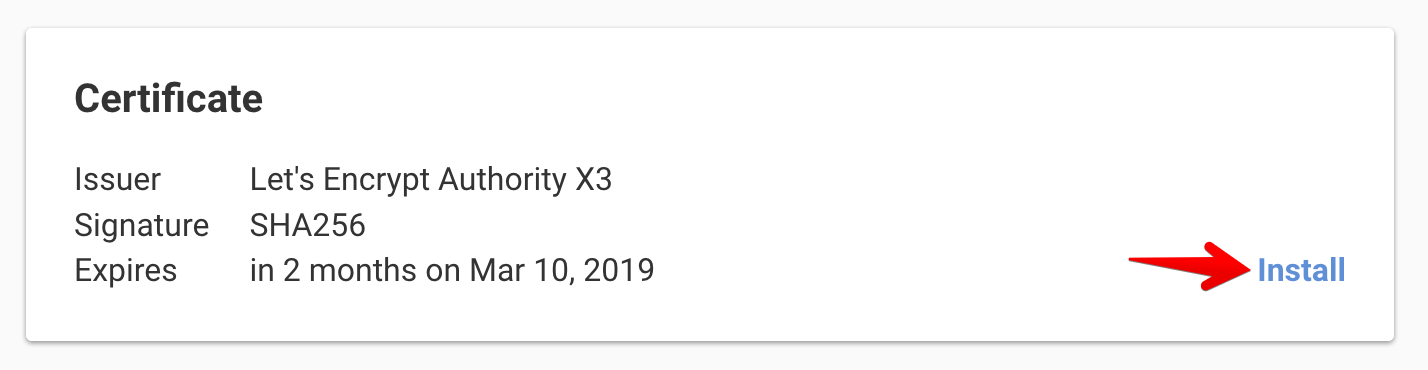
Follow How to Install an SSL Certificate, or use one of our platform-specific guides:
- How to Install an SSL Certificate on Apache
- How to Install an SSL Certificate on NGINX
- How to Install an SSL Certificate on Heroku
- How to Install an SSL Certificate on Microsoft Azure
- How to Install an SSL Certificate on Microsoft IIS
- How to Install an SSL Certificate on Windows
If the browser reports certificate errors after installation, see Troubleshooting SSL Certificate Errors. For issues with missing or incorrectly ordered intermediate certificates, see Troubleshooting SSL Certificate Chain Errors.
Manage your certificates
Renewals
SSL certificates expire. When a Sectigo certificate, or a Let’s Encrypt certificate without auto-renewal, nears expiration, DNSimple sends expiration notifications. Renewing issues a new certificate, which you then install on your server.
- How does an SSL Certificate Renewal work? - why a renewal is technically a new certificate
- How to Renew an SSL Certificate - general renewal steps
- How to Renew a Sectigo SSL Certificate - renew in the window before expiration and validate again
- How to Renew a Let’s Encrypt SSL Certificate - renew manually when auto-renewal is off
Tip
For Let’s Encrypt certificates, set up auto-renewal so DNSimple renews the certificate 30 days before it expires. You still need to install the renewed certificate on your server. See How Auto-Renewal Works for SSL Certificates for what happens if a renewal fails.
Reissuing a certificate
If you need to replace the private key or CSR on an existing Sectigo certificate, you can reissue it without purchasing a new one. The reissued certificate keeps the original expiration date.
Finding a certificate’s authority
To check which CA issued a certificate, see How to Find Your SSL Certificate Authority.
Certificate validity changes
Maximum certificate validity periods are decreasing due to CA/Browser Forum requirements and Let’s Encrypt’s own schedule. See SSL Certificate Validity Changes (2026 - 2029) for the current and upcoming limits, and how they affect your renewal schedule.
Troubleshooting
- Troubleshooting SSL Certificate Errors - browser warnings, domain mismatches, mixed content, expired certificates
- Troubleshooting SSL Certificate Issuance Delays - pending validation, CAA record blocks, extended CA review
- Troubleshooting Email Validation for SSL Certificates - wrong email address, spam filters, missing mailboxes, MX record issues
- Troubleshooting Let’s Encrypt Certificate Failures - DNS delegation, secondary DNS conflicts, CAA blocks, DNSSEC issues
- Troubleshooting SSL Certificate Chain Errors - missing intermediate certificates, wrong chain order
- Troubleshooting Heroku SSL Errors - errors when adding a certificate to Heroku
FAQ and reference
- SSL Certificates Frequently Asked Questions - the most common questions about DNSimple SSL certificates
- SSL Certificate Glossary - definitions of common SSL terms
- SSL Certificate Product Specifications - side-by-side comparison of all DNSimple certificate products
- SSL Certificate Authorities Used by DNSimple - the CAs behind each product and their roots
- Do You Support Elliptic Curve (ECC) SSL Certificates? - ECDSA keys and when to choose RSA
- Do You Support EV SSL Certificates? - why DNSimple offers domain-validated certificates only
- Do you support multi-year SSL certificates? - why certificate validity is capped
- Can I Upgrade an SSL Certificate to a Wildcard? - what to do when you need more names
- How to Switch From an ECC-Signed Certificate to RSA - get an RSA certificate for older systems
- SHA-2 SSL Certificates - the signature algorithm your certificate uses
Have more questions?
If you have any questions about SSL certificates, contact support, and we’ll be happy to help.