How to Use DNS Templates
Last updated
Table of Contents
Templates are reusable groups of DNS records that you can apply to any of your domains. They speed up the entry of DNS records and reduce mistakes like typos. For an overview of DNS template documentation, see DNS Templates at DNSimple. For what happens to a zone when a template is applied, see How DNS Templates Work.
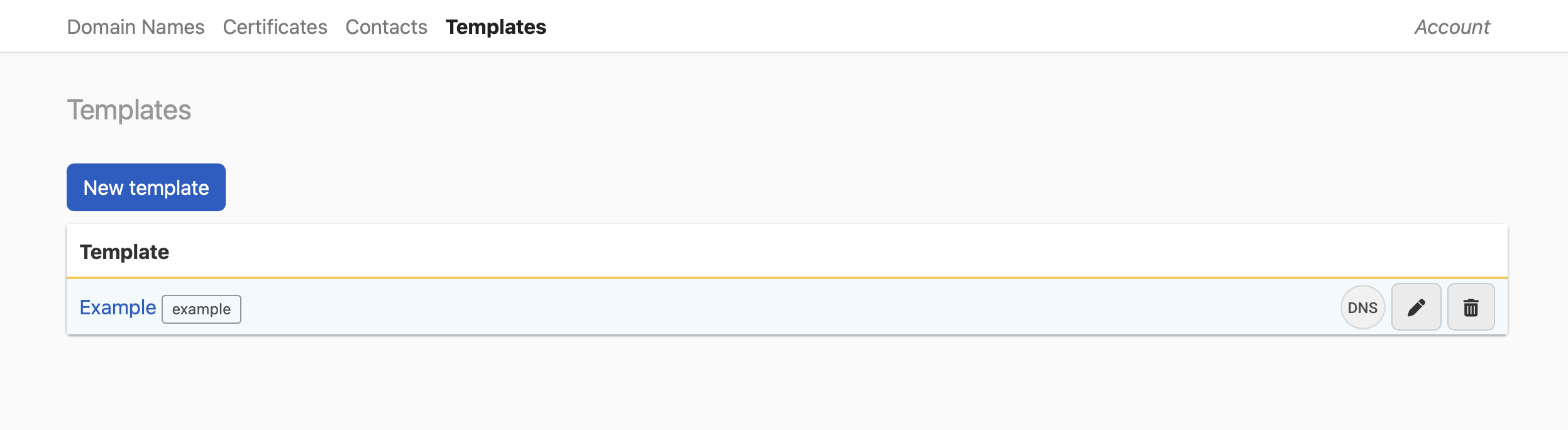
Templates are reached from the tab in the header, between and .
Note
The tab appears only for users who can manage the account. If you do not see it, you have domain-level access rather than account-level access.
Note
Templates do not override any existing DNS records on your domain.
Creating a template
Create a template and add records to it
-
On the header, click the tab, then click .
-
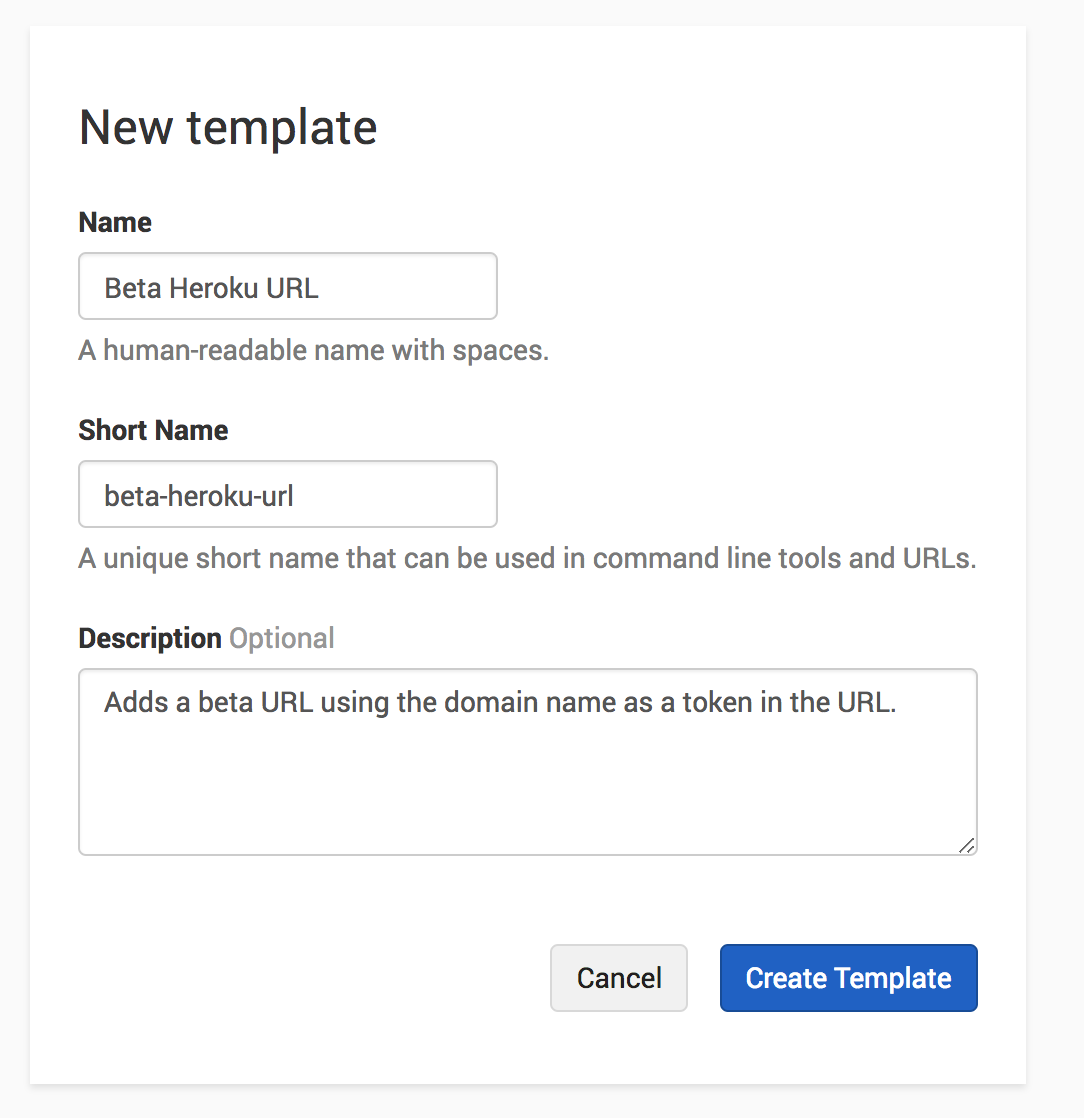
Fill in the form and click . The form asks for a , a that is unique in the account, and an optional . The example below creates a template that adds a CNAME record pointing to a Heroku address.
-
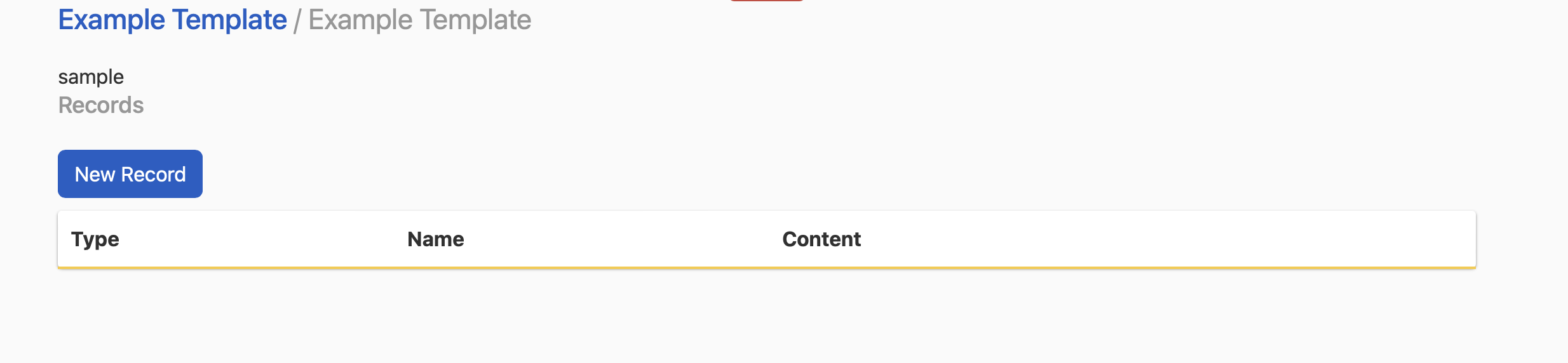
Open the template by clicking its name in the list. The list shows the template name only. It does not show the short name.
-
Next to , click . Add each record as you would in the record editor. There is no limit to the number of records a template can hold.
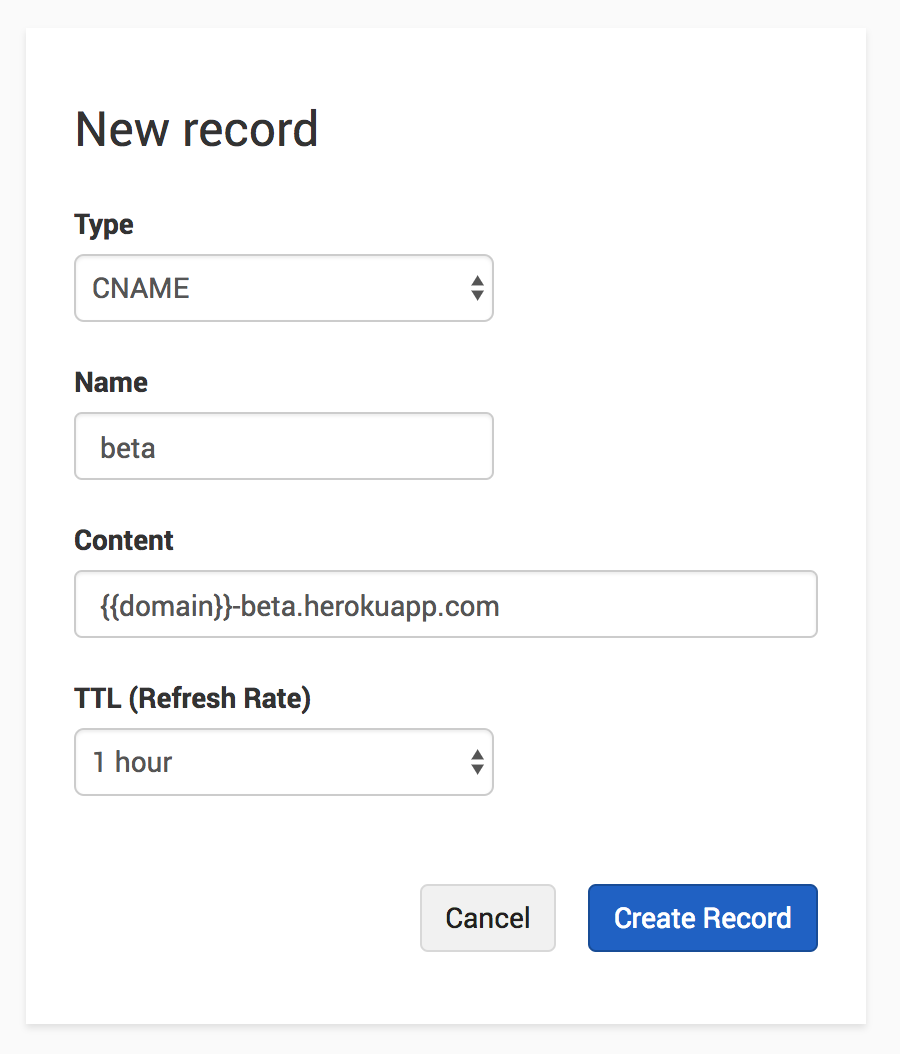
Template records support two substitutions. The keyword {{domain}} is replaced with the name of the domain the template is applied to, and @ on its own is replaced with the same value for certain record types. See Template Record Variables and Syntax for the full rules.
Editing a template
Edit a template name or description
- On the header, click the tab, then open the template.
- In the page header, click the actions menu (three dots), then click .
-
Change the and , then click . The browser returns to the template page with the new name and description.

You can also start an edit from the templates list: click the actions menu (three dots) on the row, then click .
The edit form does not include . That value is set when you create the template and is not shown on the list or the template page.
Deleting a template
Delete a template
- On the header, click the tab.
- Either open the template and click in the actions menu (three dots), or click in the actions menu on the template row.
- Confirm the dialog, then click . If you deleted from the template page, the browser returns to the templates list.
Note
Deleting a template does not delete records that were already created by applying it. Those records stay in the zone until you remove them there.
Applying a template
Apply a template to a domain
- Log in to DNSimple with your user credentials.
- If you have more than one account, select the relevant one from the account switcher.
- On the header, click the tab, locate the domain, and click the name to open the domain page.
- On the domain page, click .
-
Click the button, then select from the dropdown.
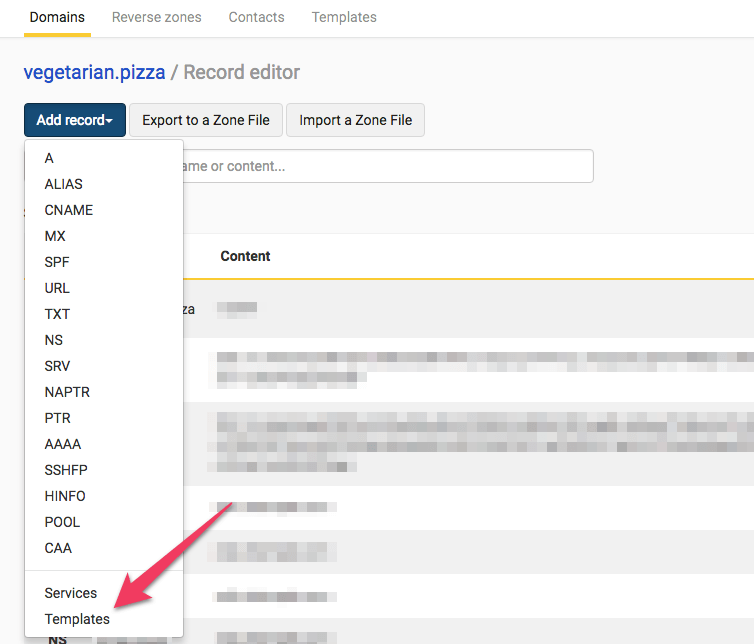
-
Select the template you want to apply.

-
Confirm the new records appear in the zone.
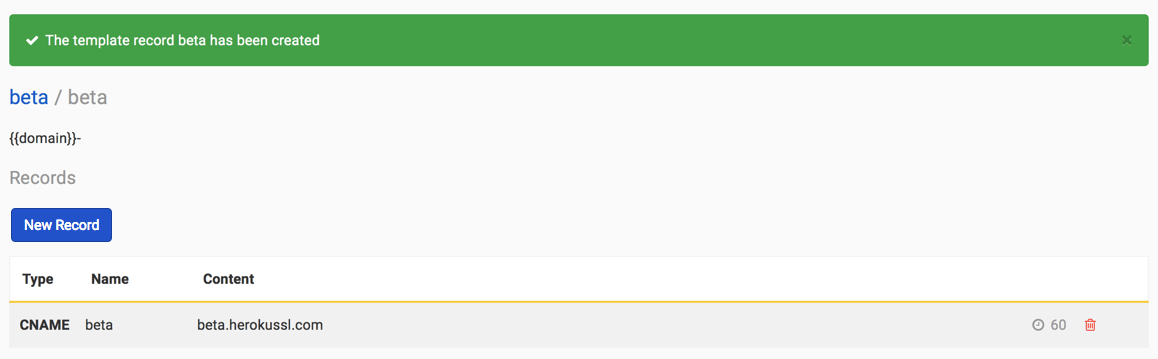
If the template does not apply, the most likely cause is a conflict with a record that already exists on the domain. For example, if your domain already has a beta CNAME record, a template that creates the same record will not apply.
Have more questions?
If you have additional questions or need any assistance creating or applying templates, just contact support, and we’ll be happy to help. You can also read more about DNS hosting at DNSimple.