Resending Domain Validation Email
Domain registries and organizations that oversee domain name registrations require validation of your registrant email address whenever a new domain is registered or your registrant email address or name is changed. This validation helps ensure the accuracy of contact information in the domain registration database and protects domain owners from unauthorized changes.
For most top-level domains, validation is required by ICANN (the Internet Corporation for Assigned Names and Numbers) as part of their RDDS Accuracy program. Failure to validate your registrant email address results in suspension of the domain name after 15 days of non-compliance.
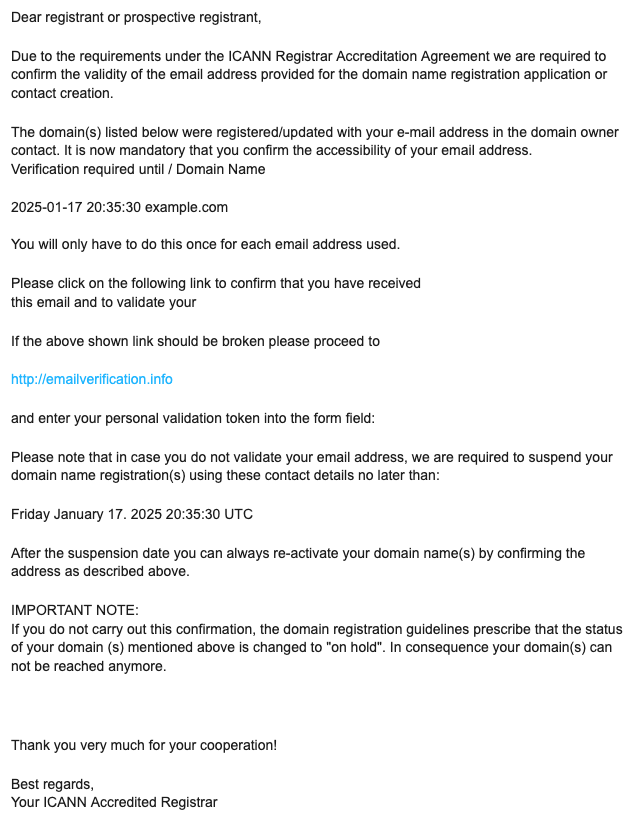
What the verification email looks like
When registering a new domain
When changing or updating the registrant contact
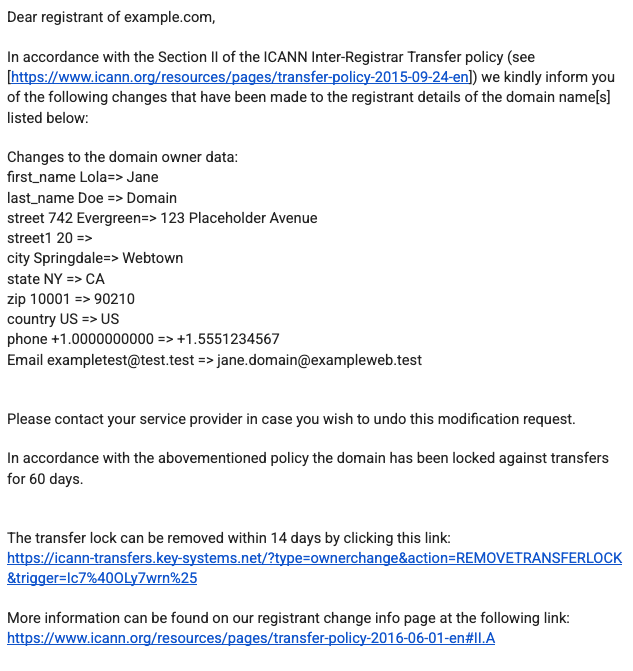
The email is sent from one of the following addresses:
- noreply@emailverification.info
- DNSimple donotreply@name-services.com
The message will contain a verification link that goes to https://www.emailverification.info/.
Resending verification email
If you are having trouble finding the email verification in your inbox, please remember to check your spam folder.
If it is not there, resend the email by navigating to your domain page in DNSimple and locating the pending verification warning at the top of the page. Click Send registrant verification email.

Once the email is verified, the warning should disappear. If it does not, it may be because our system has not refreshed the latest status yet. Click Refresh to manually force a refresh.
What happens if the registrant email address cannot receive email?
You must be able to receive an email at the registrant email address to complete the verification process. If you set up the email address after registration or changing your registrant details, contact support@dnsimple.com to resend the verification email. Be sure to include the domain name that you need to verify in your email to support.
Have more questions?
If you need assistance or have any questions about resending domain validation emails, contact support, and we will be happy to help.
Want to learn more about the policy requiring domain validation? Visit ICANN to read about the ICANN RDDS Accuracy program.