DMARC Reports by Postmark One-click Service
Last updated
Table of Contents
DMARC Reports by Postmark collects the DMARC reports mail providers send about your domain and turns them into a weekly summary. The one-click service adds the DMARC record, a TXT record at _dmarc, with the value Postmark gives you.
Get the DMARC value from Postmark
Sign up at DMARC Reports by Postmark and copy the TXT record value it gives you, which starts with v=DMARC1;.
Add the DMARC Reports by Postmark service
To add the DMARC Reports by Postmark service
- From the domain list, click the domain name.
- Click the tab on the left side.
-
In the card, click , or if the domain already has a service.
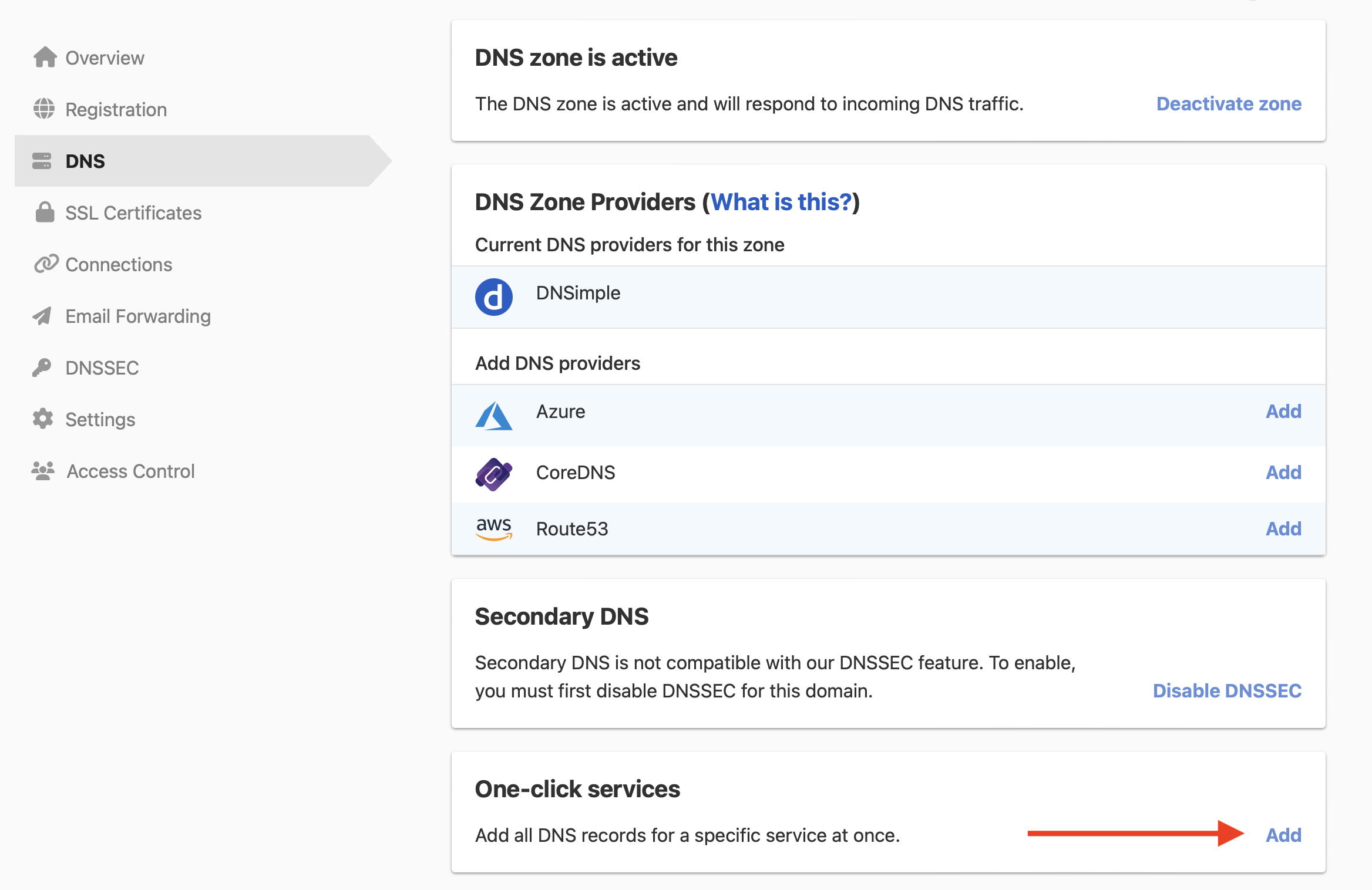
-
Click the tab, and click next to DMARC Reports by Postmark.

- In , paste the value from Postmark.
- Click .
A domain can only have one DMARC record. If the domain already has one, remove it before applying the service, or add Postmark’s reporting address to your existing record instead. See Set Up DMARC. To remove the service later, see Remove a one-click service.
Have more questions?
If you have additional questions or need any assistance with the DMARC Reports by Postmark service, contact support, and we’ll be happy to help. You can also read more about DNSimple integrations.