OAuth Applications
Table of Contents
- What is OAuth?
- Confidential and public applications
- Finding the OAuth Applications page
- Creating a new application
- Revoking user tokens
- Deleting an application
- Interacting with the API through OAuth
- Have more questions?
When you build an application that needs access to DNSimple, or you let an external application request authorization to private details in a user’s DNSimple account without getting their password, you need an OAuth token.
If you only need basic access to the API, a regular user or account token works instead.
What is OAuth?
OAuth 2 is a protocol that lets external applications request authorization to private details in a user’s DNSimple account without getting their password. This is preferred over Basic Authentication, because tokens can be revoked by users at any time.
Register your application before you start. A registered OAuth application is assigned a unique client ID. How the application proves its identity afterward depends on its client type: a confidential application also receives a client secret, while a public application uses PKCE instead of a secret.
Confidential and public applications
When you register an application, you choose how it authenticates. This choice is permanent: you cannot change it after the application is created.
- Web app (server-side) is a confidential application. It runs on a server you control and can keep a client secret private. It authenticates with its client secret. Most integrations are this type; if you are not sure, choose this.
- Native or browser app is a public application, for command-line tools, desktop apps, mobile apps, and single-page apps. These run on a user’s device or in their browser, where a secret cannot be kept private. A public application authenticates with PKCE (Proof Key for Code Exchange) instead of a client secret, so the dashboard does not display a client secret for it.
Note
If you do not see a client type choice when you create an application, your account registers web (server-side) applications by default. These authenticate with a client secret.
Finding the OAuth Applications page
- Navigate to your account page.
- Click the OAuth Applications tab on the left side, then go to the Developer applications card.
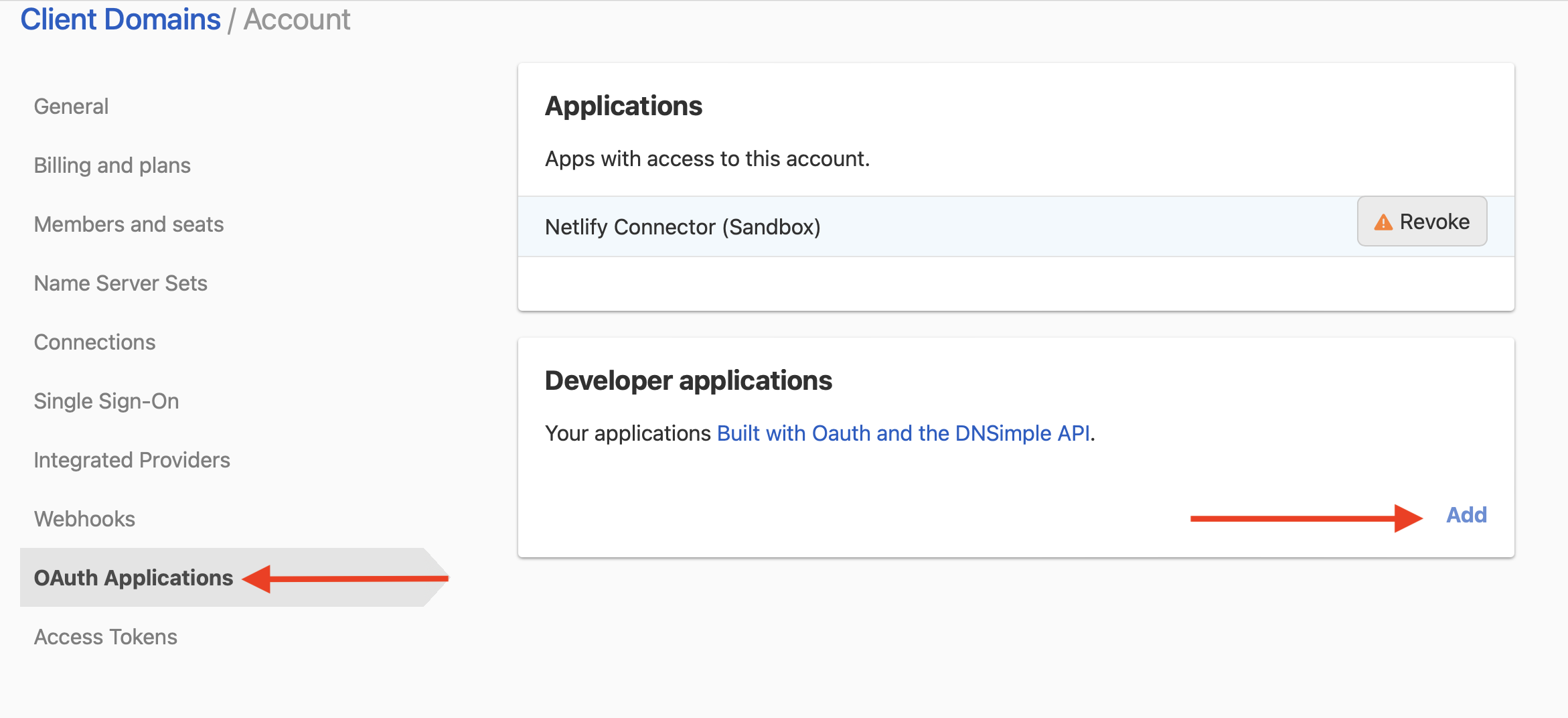
Your applications are listed here. From this page you can create a new application, edit an existing one, or remove it.
Creating a new application
Click Add to create a new application.
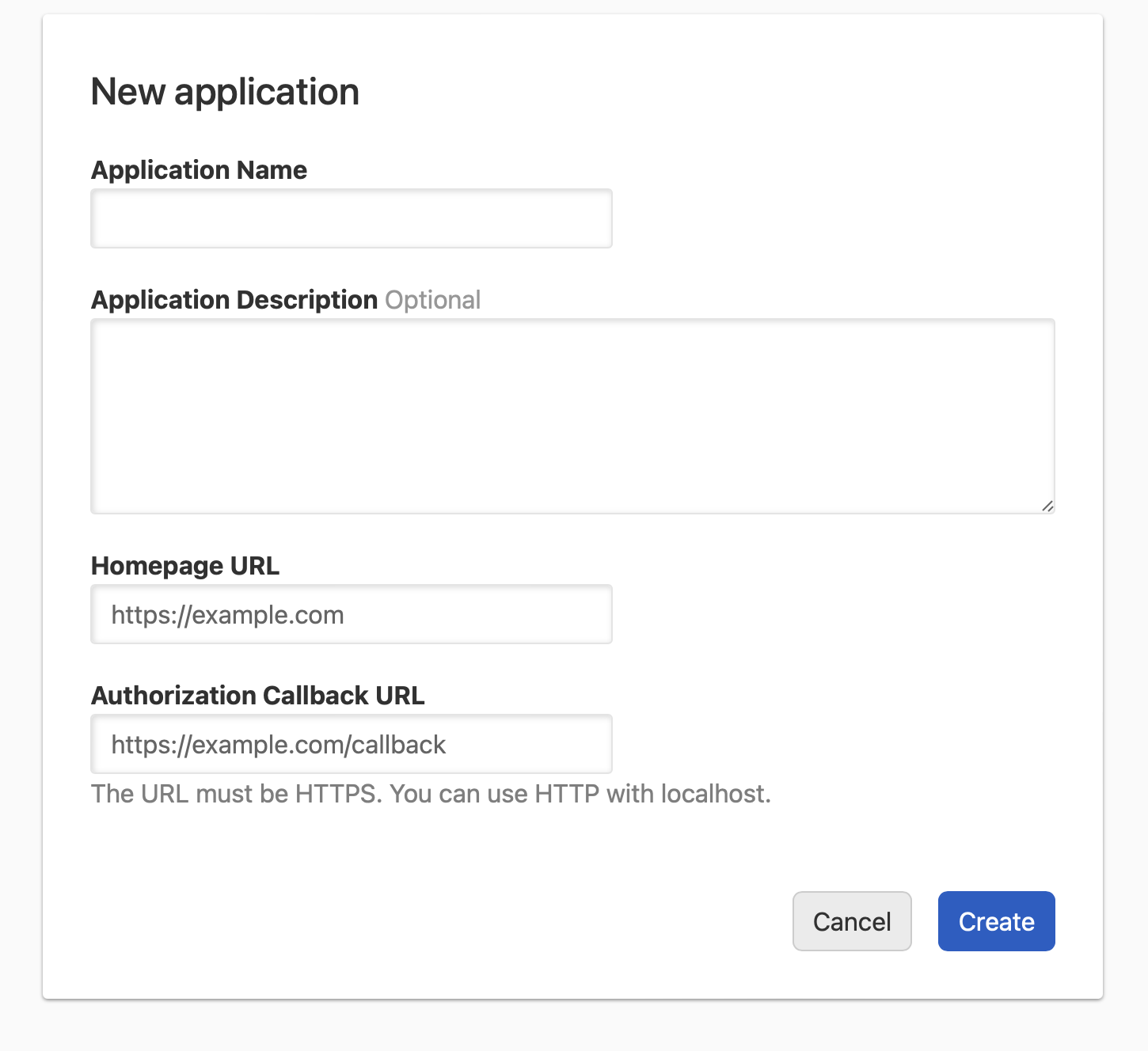
Provide an Application Name, a Homepage URL, and an Authorization Callback URL. The callback URL must use HTTPS, or HTTP with localhost or a loopback address (127.0.0.1, [::1]) for native apps such as command-line tools. See the OAuth developer guide for how loopback redirect URIs are matched.
If your account can register public applications, the form also asks what kind of application you are building. Choose Web app (server-side) for a confidential application or Native or browser app for a public one.
Tip
Adding an application description is optional.
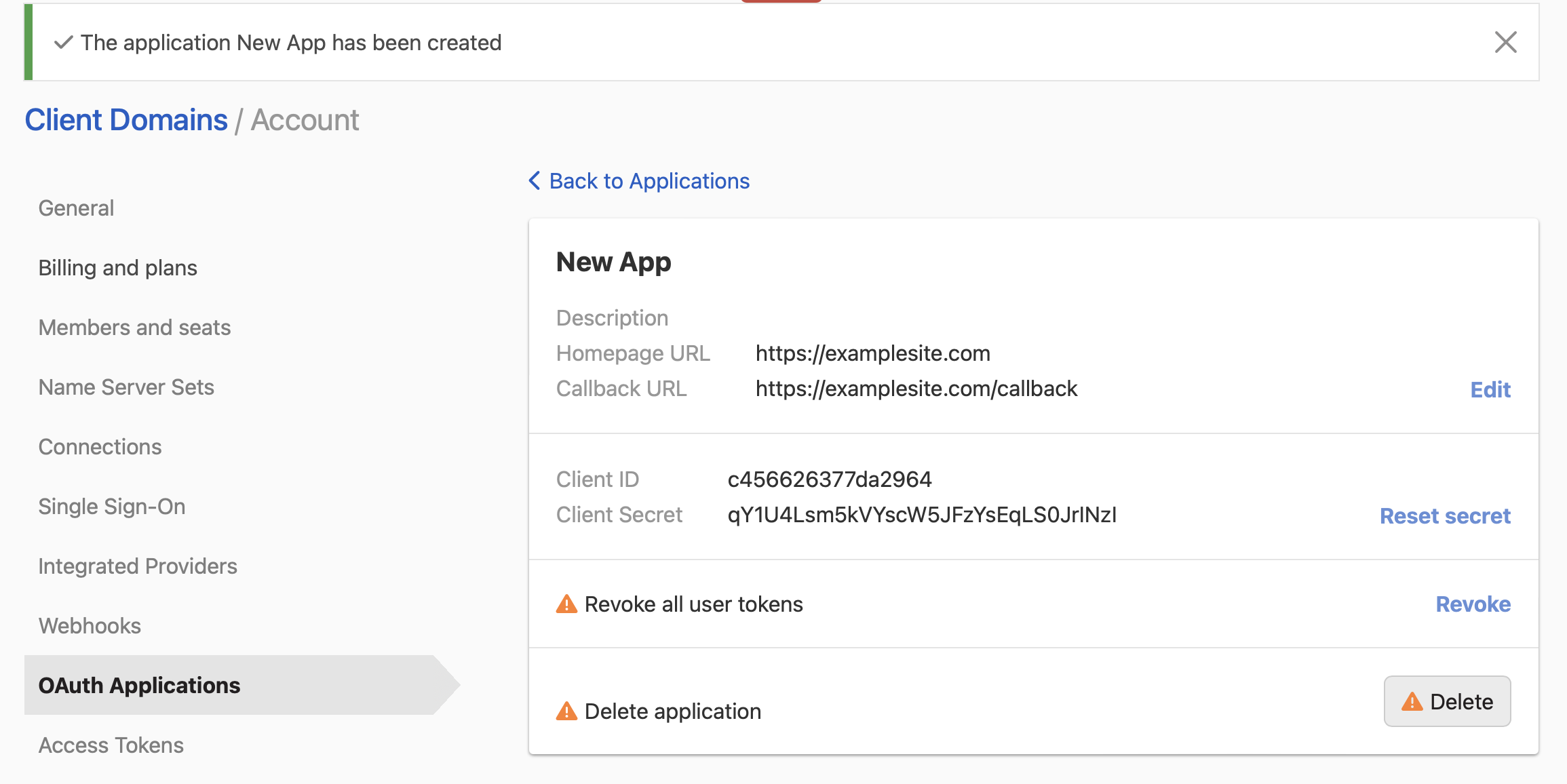
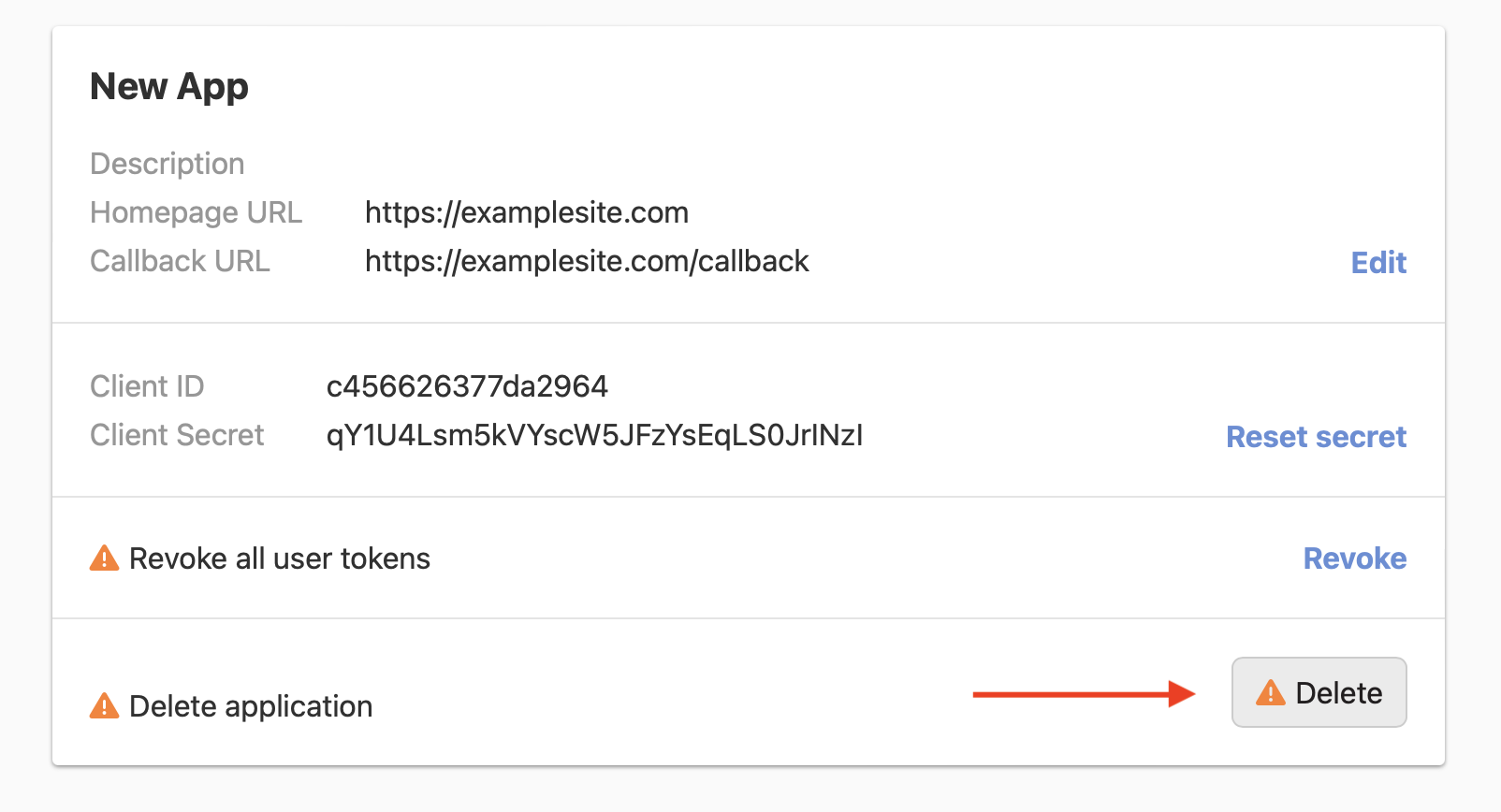
After the application is created, you are taken to its page. A confidential application shows a Client ID and a Client Secret. A public application shows only a Client ID, because it authenticates with PKCE and is not issued a client secret.
Note
For confidential applications, the Client ID and Client Secret are unique to your application, and the client secret should not be shared.
Revoking user tokens
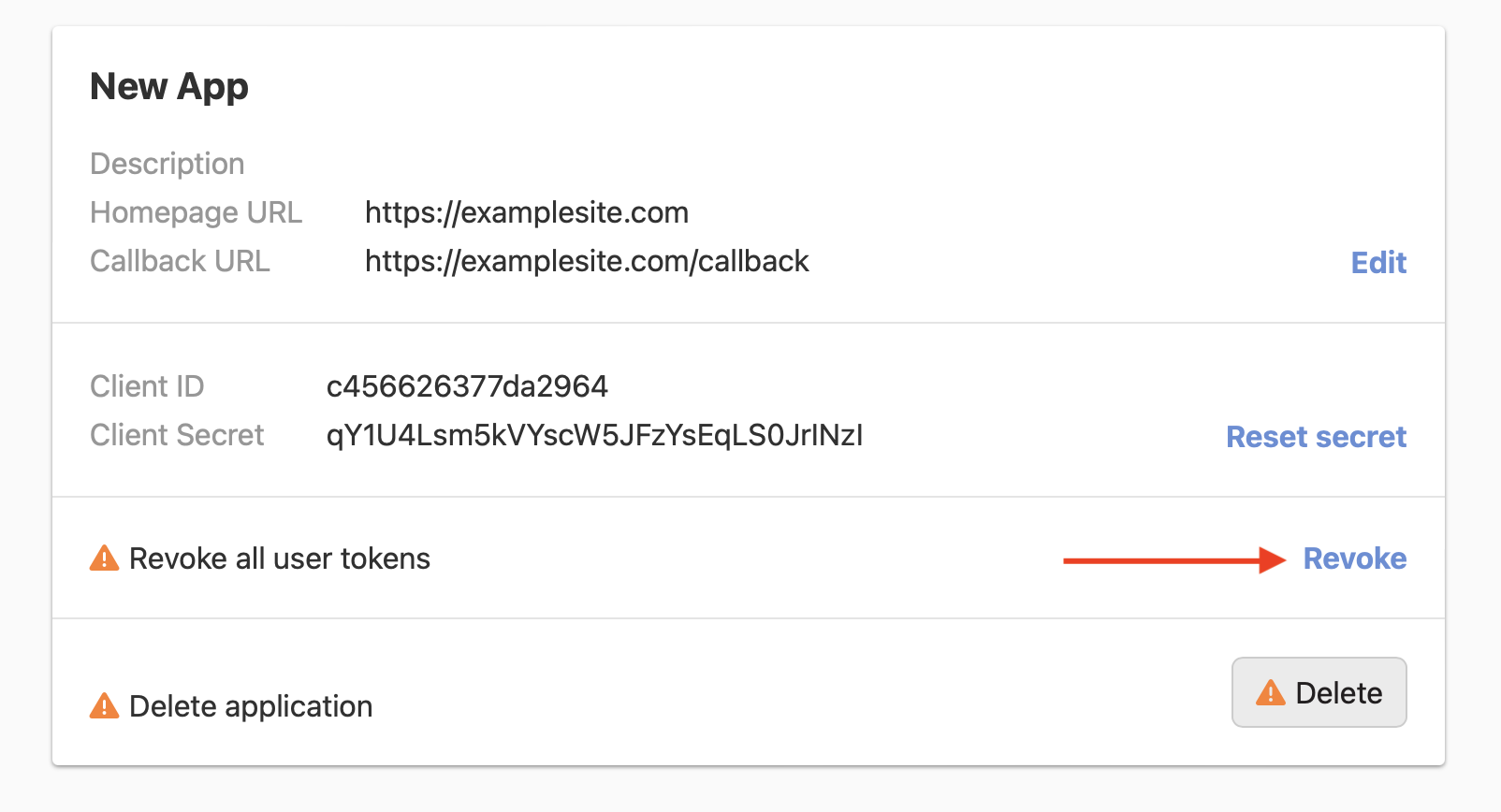
You can revoke all user tokens for your application by clicking Revoke.
Warning
This cannot be undone. All clients will lose access to your application.
Deleting an application
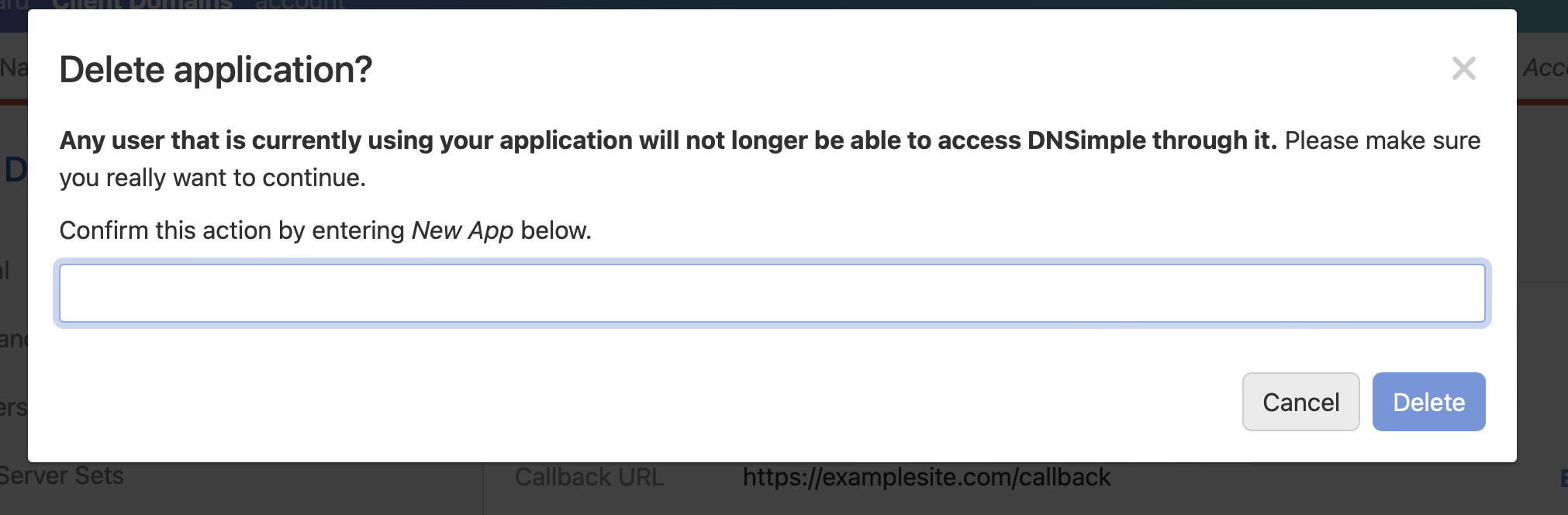
This action cannot be undone, and will permanently delete your application. Any clients using the application will no longer be able to access DNSimple.
To delete an application, click Delete.
When deleting an application, you receive a warning prompt to confirm you want to continue.
Interacting with the API through OAuth
For step-by-step instructions on interacting with the DNSimple API through OAuth, see the OAuth developer guide.
Have more questions?
If you have additional questions or need any assistance with your OAuth Applications, just contact support, and we’ll be happy to help.