Forgot Password
Last updated
Table of Contents
- Get a password reset link
- Password reset email
- Enter a new password
- Troubleshooting
- Have more questions?
Reset your password when you cannot log in with your current credentials. Use the email address tied to your DNSimple user email.
Note
Use your user email (the address you use to log in). A notification email cannot be used to reset your password.
Note
If DNSimple shows a Password reset required for your security page when you log in, use this same flow. That happens when MFA is not enabled and a periodic password change is due. See Account Security.
Get a password reset link
To request a password reset link
-
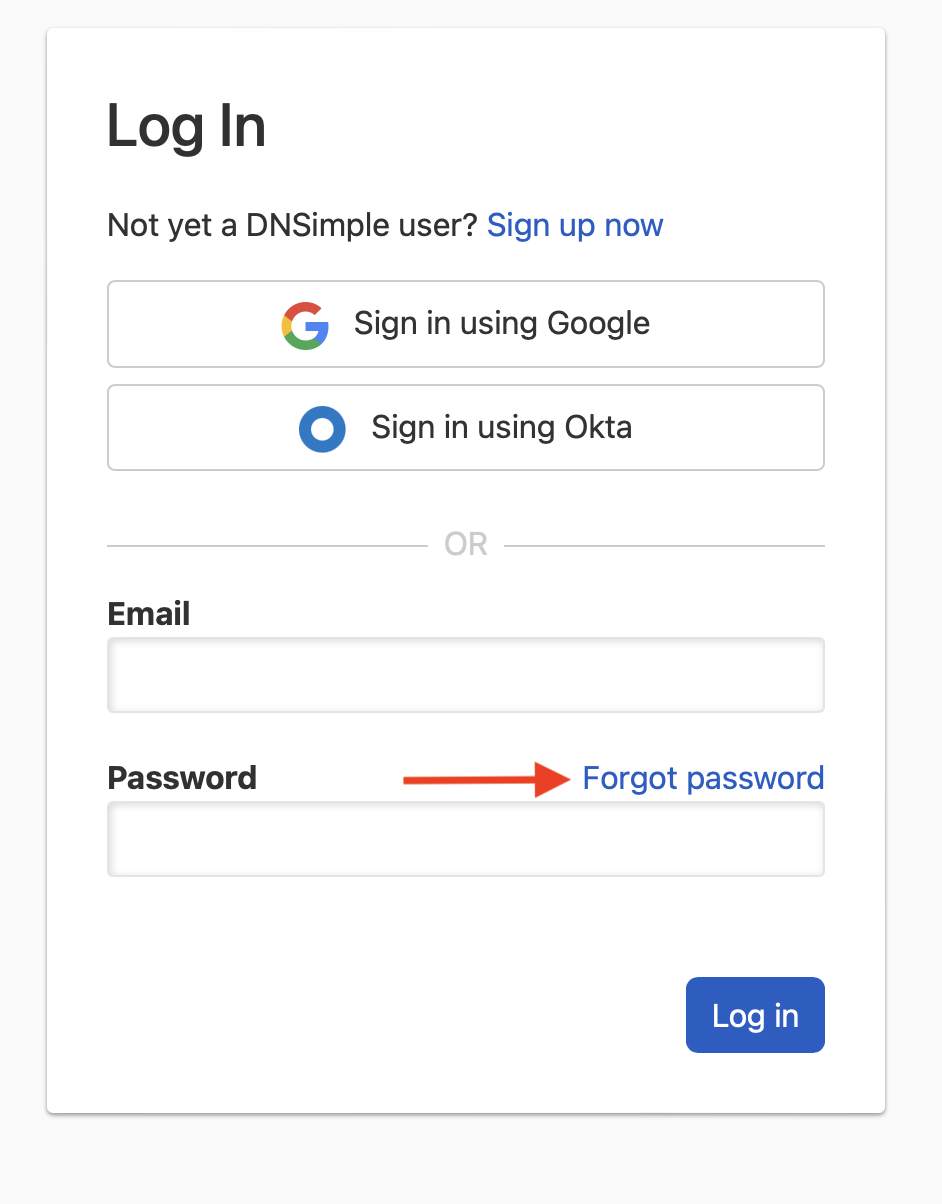
Go to the login page, and click .
-
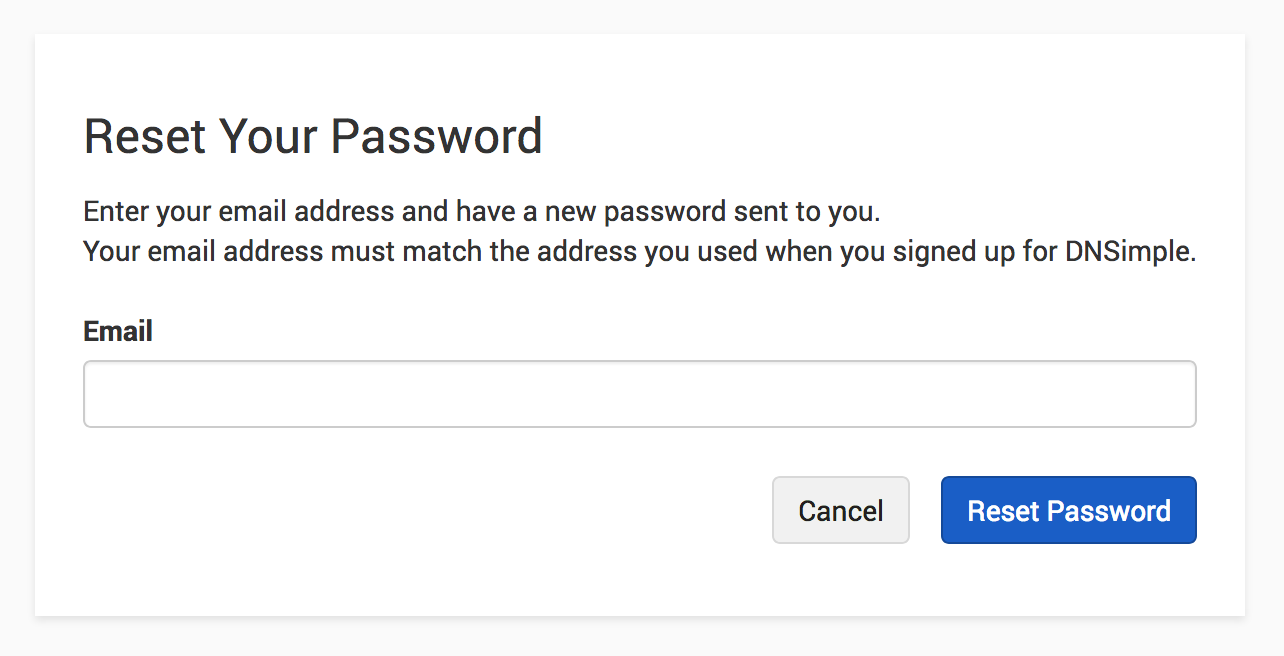
On the page, enter the user email address you use to log in to DNSimple, and click .
Password reset email
If a user with that email address exists, DNSimple sends a password reset email from support@dnsimple.com.
If you do not receive the email, check your spam folder. If you received the email but the link does not work, contact support.
Enter a new password
To set a new password
- Open the password reset link from the email.
- Enter a new password and confirm it. DNSimple saves the new password, logs you out of every session, and returns you to the login page with the message “Your password has been changed.”
- Log in with your new password.
If multi-factor authentication is enabled on your user, you will still need to complete the second verification step after resetting your password. If you cannot complete MFA, see recovery code.
Troubleshooting
If you requested a password reset but did not receive the email:
- Verify your email: Confirm you entered the correct user email for your DNSimple account.
- Alternative login methods: If you use Google, Okta, or Microsoft Entra SSO, log in with that provider instead of resetting your password.
- Check your spam folder: The reset email may have been filtered.
- Still not receiving the email: Contact support for help.
For other login problems, such as rejected MFA codes or a user email you no longer control, see Troubleshoot Logging In to DNSimple.
Have more questions?
If you have questions about resetting your password, contact support, and we will be happy to help.