Enabling and Disabling Domain Auto-Renewal
Table of Contents
Auto-renewal reduces the risk of a domain expiring by renewing the domain automatically days before expiration. When auto-renewal is turned on for a domain, we will attempt to renew it automatically prior to expiration. We will bill your credit card if the renewal is successful.
Note
Most auto-renewals will begin a few days before a domain’s expiration date. We deliver auto-renewal and expiration notices starting two months before a domain’s expiration date, even if auto-renewal is turned on.
Warning
Refunds are not possible once the auto-renewal process has started.
Enabling auto-renewal
You can enable auto-renewal when you first register a domain or any time after the domain has been registered.
Newly registered domains are set to auto-renew by default. If you turned off auto-renewal and want to re-enable it for your domain, follow these steps:
To enable auto-renewal for a domain
- If you have more than one account, select the relevant one from the account switcher in the top-right corner of the screen.
- On the header click the tab. Click the relevant domain name to access the domain page.
- In the Overview tab, check on the Registration status card.
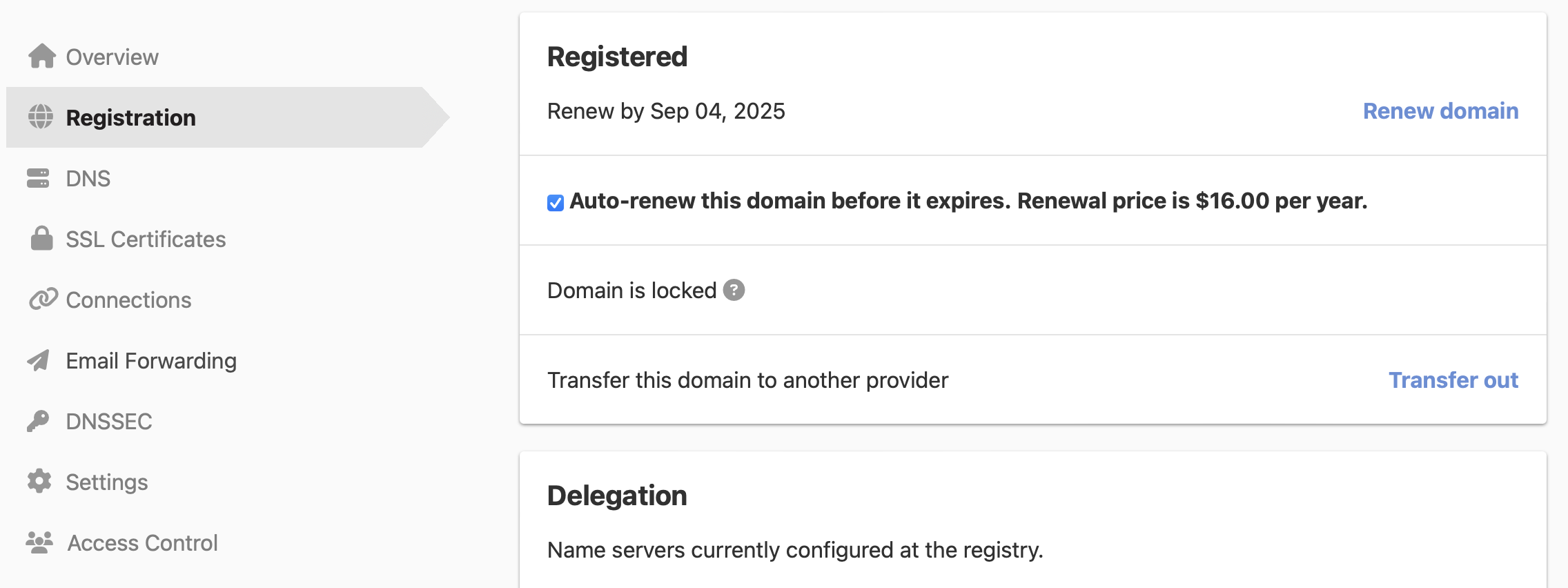
Auto-renewal is now enabled on your domain.
Disabling auto-renewal
Warning
Auto-renewal cannot be turned off if the auto-renewal is being processed.
To turn off auto-renewal for a domain, follow these steps:
To disable auto-renewal for a domain
- If you have more than one account, select the relevant one from the account switcher in the top-right corner of the screen.
- On the header, click the tab. Click the relevant domain name to access the domain page.
- In the Overview tab, uncheck on the Registration status card.
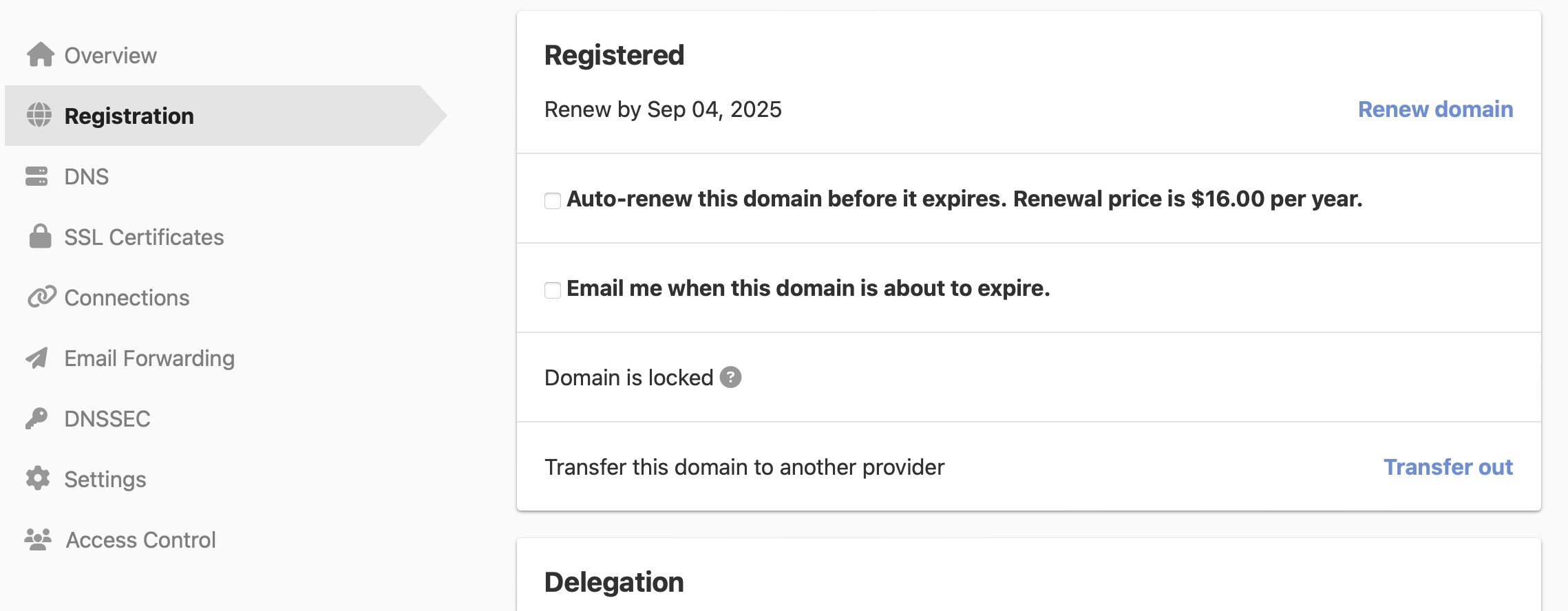
Auto-renewal is now disabled on your domain.
Have more questions?
If you have any questions about or need assistance with auto-renewal for your domains, just contact our support team — we are here to help.