Adding a Domain
When adding a domain to your account, you can register a new domain, transfer an existing domain you own from another registrar, or create a DNS zone to use our DNS service if you plan to keep your domain at your current registrar.
To add a domain
- If you have more than one account, select the relevant one from the account switcher at the top-right corner of the screen.
- From the Domain Names page, click , and choose the option that fits your needs.
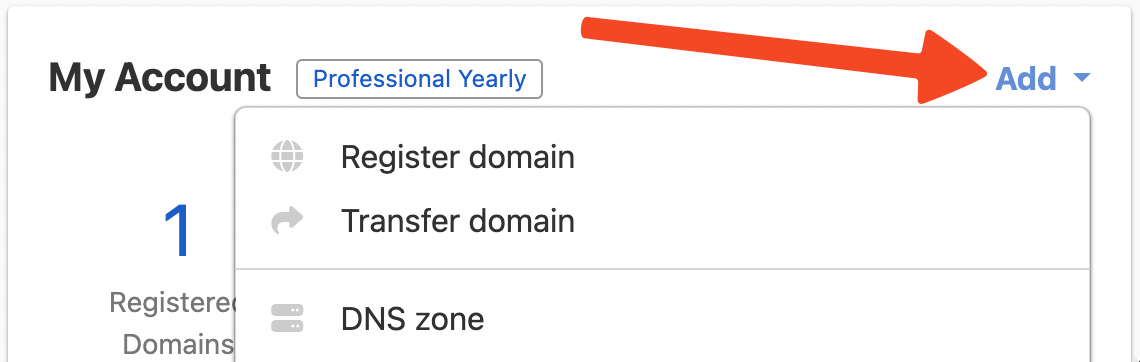
You will then be prompted for the name of the domain you want to add to your account.
Registering a new domain
After adding the domain name, you will be prompted to fill in information about the contact, WHOIS Privacy, and domain auto-renewal.
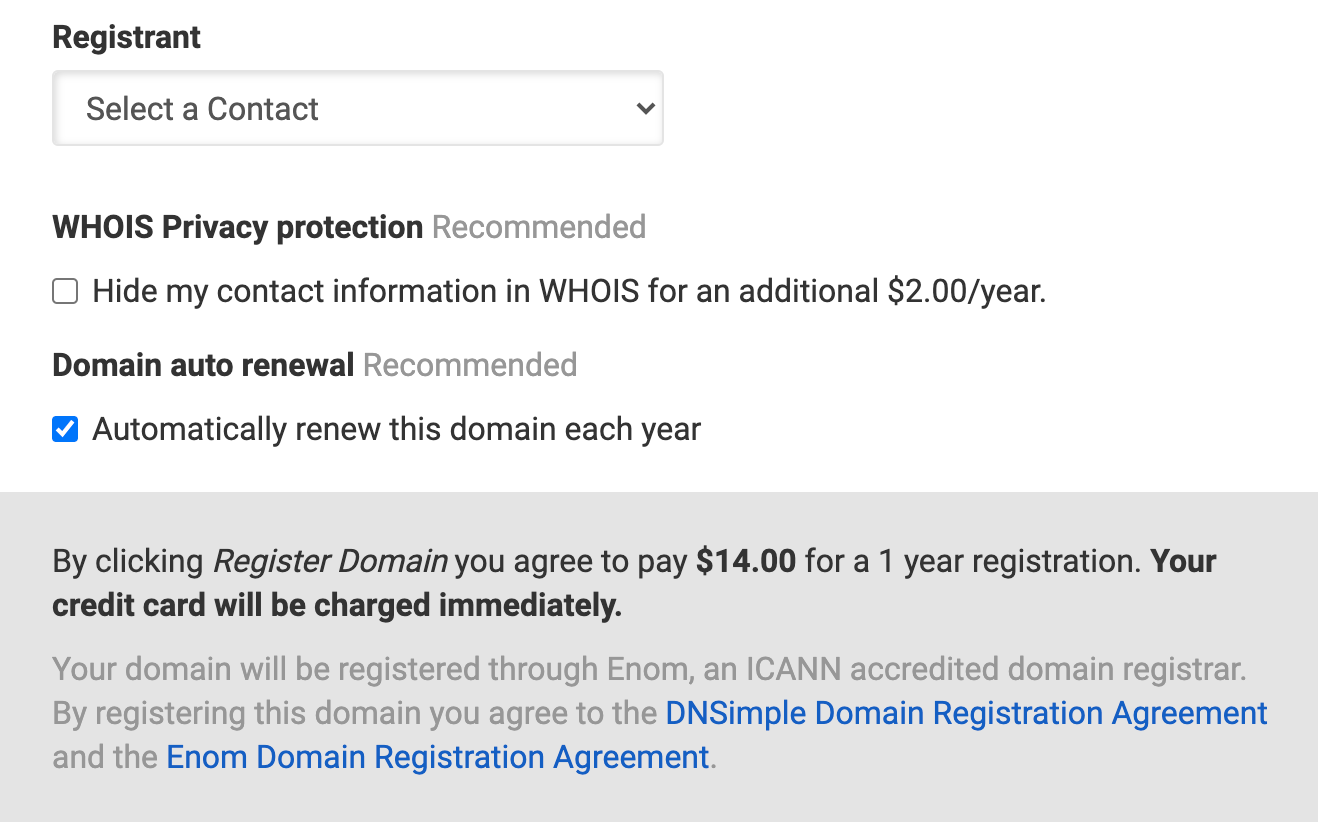
Click Register [domain name] in the bottom right corner to register the domain.
Transferring a domain into DNSimple
To complete the transfer process, enter the auth code for transfer, select a domain contact, opt into WHOIS Privacy, delegate NS if wanted, and agree to the payment.
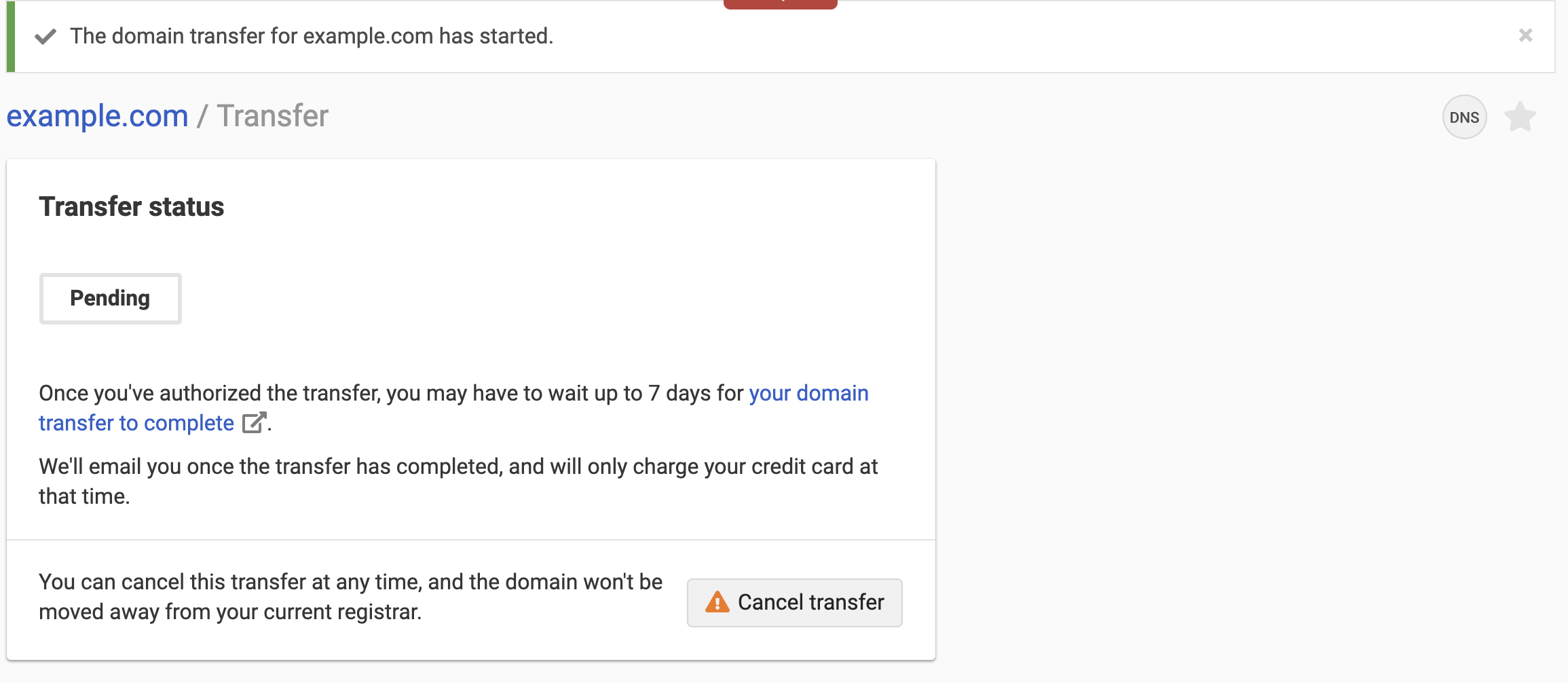
If the transfer is successful, you will see a Pending notification:
Creating a DNS zone
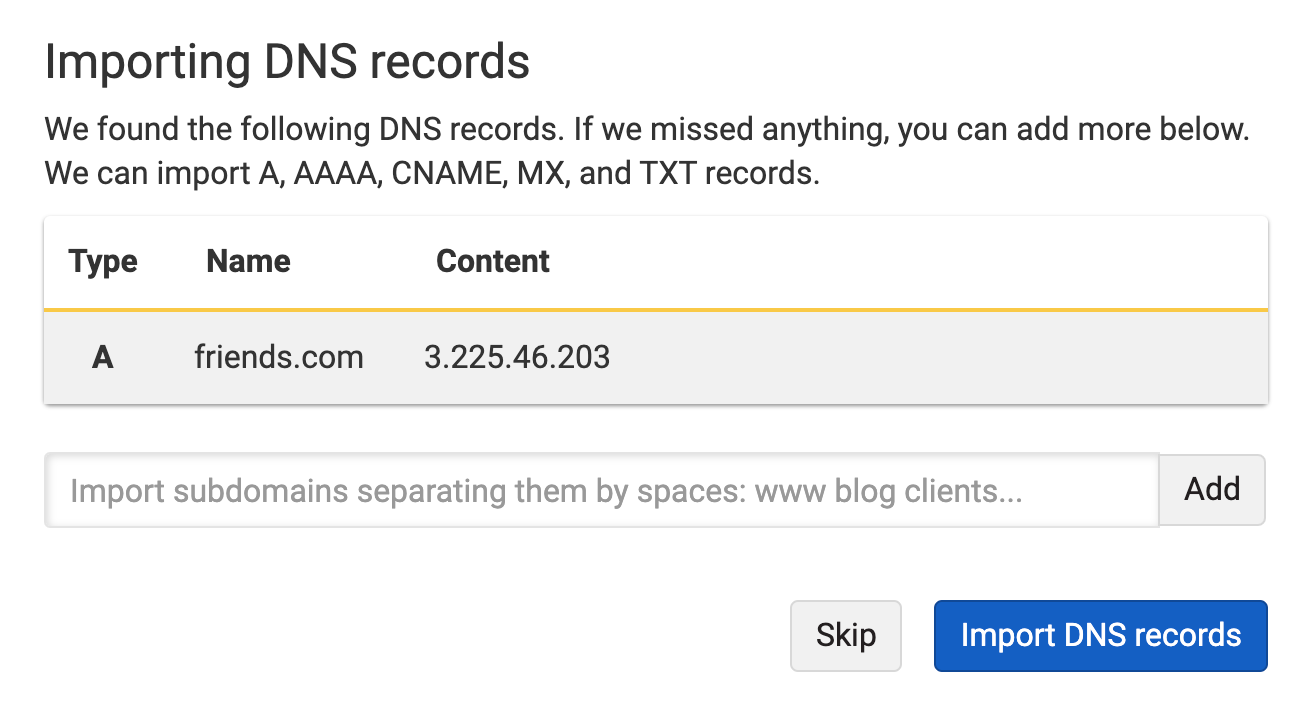
If you are using the DNS services available at DNSimple, but keeping the domain at your current registrar, select DNS zone to add the domain name, then import the applicable DNS records with the auto-import tool.
 .
.
Have more questions?
If you have additional questions or need assistance adding domains to your DNSimple account, just contact support, and we will be happy to help.